Can You Try Candy AI, Ourdream, Secrets or Kindroid Without Signing Up?
We went through the Candy, Ourdream and Secrets character creators as a logged-out guest, and checked where Kindroid's login wall sits. Candy and Secrets let you click through every step, then ask you to sign up before anything is generated. Ourdream stopped us with a human check one step from the end. Kindroid asks you to log in first. None of the four gave a guest a generated character.
If you search for whether Candy AI, Ourdream or Secrets is free, you mostly find affiliate pages that say “yes, sign up free!” That answers a different question. What we wanted to know is simpler: how far can you get before the app asks for your email?
So we opened Ourdream and Secrets logged out on October 17, 2026, and Candy logged out in a fresh browser profile on October 18, started their character creators, and kept pressing Next until something stopped us. Kindroid shows nothing before you log in; what we say about its login wall comes from its logged-out home and login screens on October 16. We saved a screenshot and the on-screen text of every step. Here is the short version:
| App | Steps a guest can complete | Where it asks for an account |
|---|---|---|
| Candy AI | All of them | The last page is “Sign up to Bring my AI To Life”; its button opens Create Account |
| Ourdream | 5 of 6 (Style to Details) | A Cloudflare human check appeared after Details; the code has a “Sign up to build your character” screen |
| Secrets AI | All 6 | “Create Companion” opens a “Sign Up for Free” window |
| Kindroid | None | Log in or sign up comes first |
None of the four generated a character or an image for a guest. The rest of this post goes through each app, shows what we saw, and is clear about what we couldn’t check.
How we tested, and the limits
- One guest session per app. Ourdream and Secrets on October 17, 2026; Candy on October 18. Kindroid has no guest mode; its home and login screens are from October 16, and its onboarding and creator screens from our logged-in session that day. These sites change their funnels often and some show different flows to different visitors (A/B tests). What we saw may not be what you see.
- Desktop browser, logged out. The Candy run on October 18 used a fresh profile. We checked each screenshot for the site’s “Login” or “Create Free Account” buttons to confirm we really were logged out. We went step by step, mostly keeping the default selections, so we could see what a guest gets by just pressing Next.
- Our browser session was scripted. Bot checks like Cloudflare’s are built to notice that. The human check we hit on Ourdream may appear less often (or never) for an ordinary visitor.
- Our browser language was set to Chinese, which is why one of the screenshots below shows Cloudflare’s widget in Chinese. The sites themselves were in English.
- We didn’t pay for or chat at length with anything in this session. This is only about the sign-up wall, not about quality.
The first-party screenshots of these apps include a lot of lingerie and some sexual content. We’ve only used screens without it, and cropped where needed.
Candy AI: every step, then “Sign up to Bring my AI To Life”
As a logged-out guest, Candy’s creator opened with “CREATE YOUR DREAM AI GIRL”, with Girls or Trans and Realistic or Anime to choose, and a Start button. After that came the steps, under a progress bar:
- Ethnicity: Caucasian, Asian, Black / Afro, Latina, Arab.
- Hair and eyes: hair style, hair color and eye color.
- Body: body type and breast size.
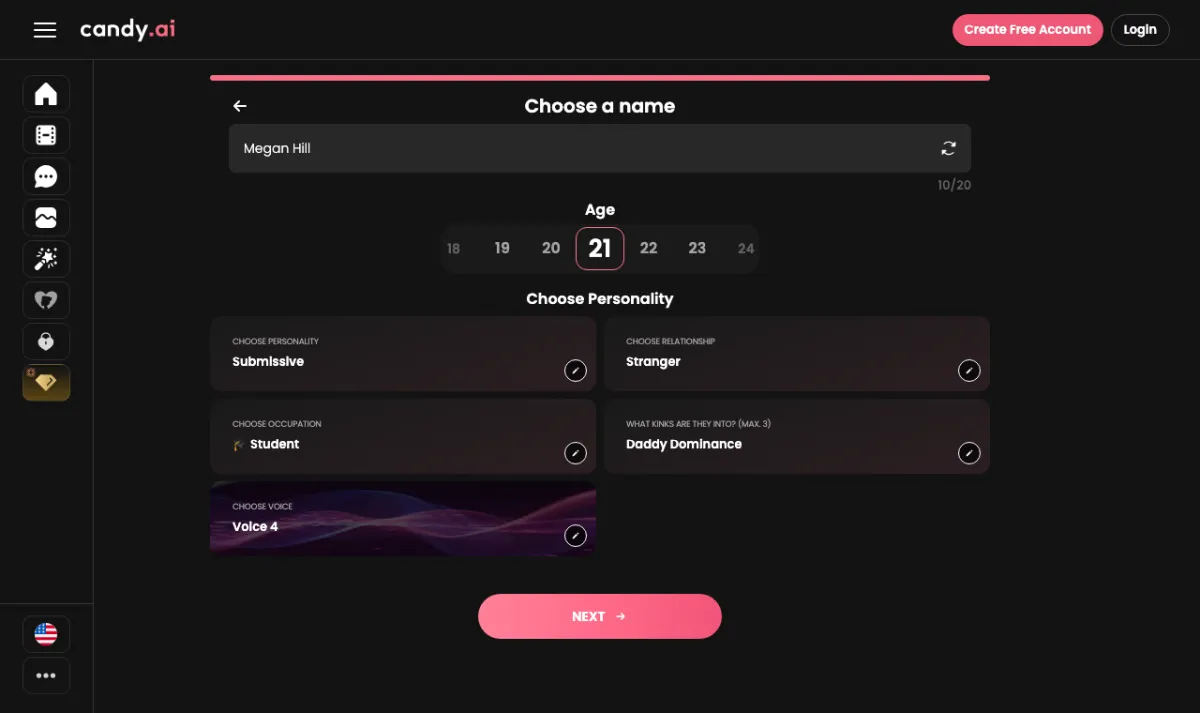
- Name, age and personality: a name (up to 20 characters), an age picker from 18 to 55, and tiles for personality, relationship, occupation, up to three “kinks”, and a voice.
The page’s form has more choices than the cards you see at first. In the HTML Candy served to a logged-out visitor there were 12 personalities, 19 relationship types, 43 occupations, 24 kinks and 9 voices.
The form is also pre-filled. In that HTML each step already has an option marked as checked, so a guest who only presses NEXT gets this character: realistic, Caucasian, 21, straight black hair, brown eyes, skinny, large breasts, “Submissive” personality, “Stranger” relationship, “Student” occupation, the kink “Daddy Dominance” and Voice 4. The guest walkthrough showed the same defaults. That’s worth knowing if you’re clicking through fast.
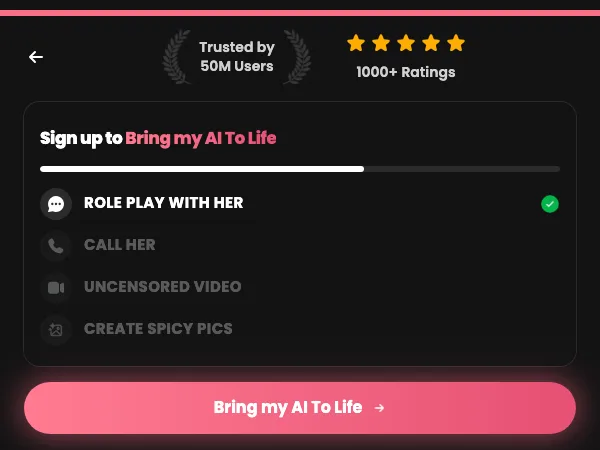
Pressing NEXT did not create anything. It led to a page headed “Sign up to Bring my AI To Life”. The page had a checklist (“ROLE PLAY WITH HER” ticked; “CALL HER”, “UNCENSORED VIDEO” and “CREATE SPICY PICS” greyed out), one Bring my AI To Life button, and below that a summary of the choices (Caucasian, 21yo, brown eyes, skinny, and so on).
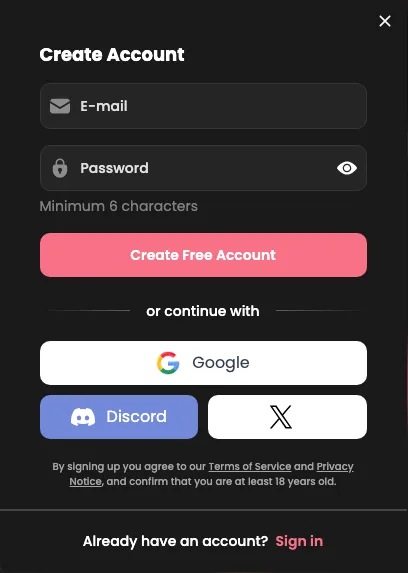
Pressing Bring my AI To Life opened Candy’s Create Account window: email and password (minimum 6 characters), or continue with Google, Discord or X. That’s as far as a guest gets. There’s no character and no image until you sign up.
With a free account: a generated character
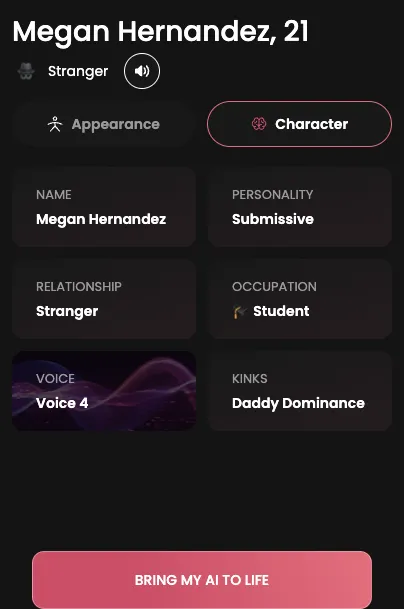
A free account changes things. We ran the same creator on October 17 while signed in to a free Candy account. We hadn’t meant to: the browser still had a saved session, which is how the first version of this post got Candy wrong. Signed in, pressing NEXT on the last step went to a “Creating your AI — Hold tight” screen. A few seconds later there was a character page: a generated photo, the name and age, Appearance and Character tabs listing the choices, a “BRING MY AI TO LIFE” button, and a Regenerate button under the photo. The bottom of our screenshot cuts that button off, but its counter appears to read 0/2.
So with Candy, an email address gets you a generated character for free. Without one, you get the creator screens only.
Ourdream: five steps, then a human check
Ourdream’s creator is headed “CREATE YOUR DREAM AI GIRL”. There are Female, Male and Trans tabs and a Realistic or Anime choice, then a six-step bar. The step names in Ourdream’s own code are Style, General, Face, Body, Details, Image.
What a logged-out guest saw on each step:
- General: ethnicity (Asian, Black, White, Latina, Arab, Indian, Japanese, Elf, Alien, Demon, Angel, or Custom) and six skin tones.
- Face: nine hair styles plus Custom, ten eye colors, ten hair colors.
- Body: five body types, five breast sizes, five butt sizes.
- Details: name, an age picker (it showed 21 to 25, with 23 selected), and six “Personality Details” tiles you click to change. They loaded as Voice “Hottie”, Personality “Seductive”, Occupation “Porn Star”, Relationship “Lover”, Hobby “None” and Fetish “None”. There’s also an optional Advanced Details section.
Ourdream’s code has longer lists than any single screen shows, partly because it covers male characters too. Not counting “None”, we counted 138 occupations, 104 hobbies, 63 fetishes, 42 personalities, 26 relationships and 25 voices.
Then we pressed Next on Details, which should open the last step, Image, where the character gets drawn. A box saying “Verifying you are human…” appeared with a Cloudflare check inside it.
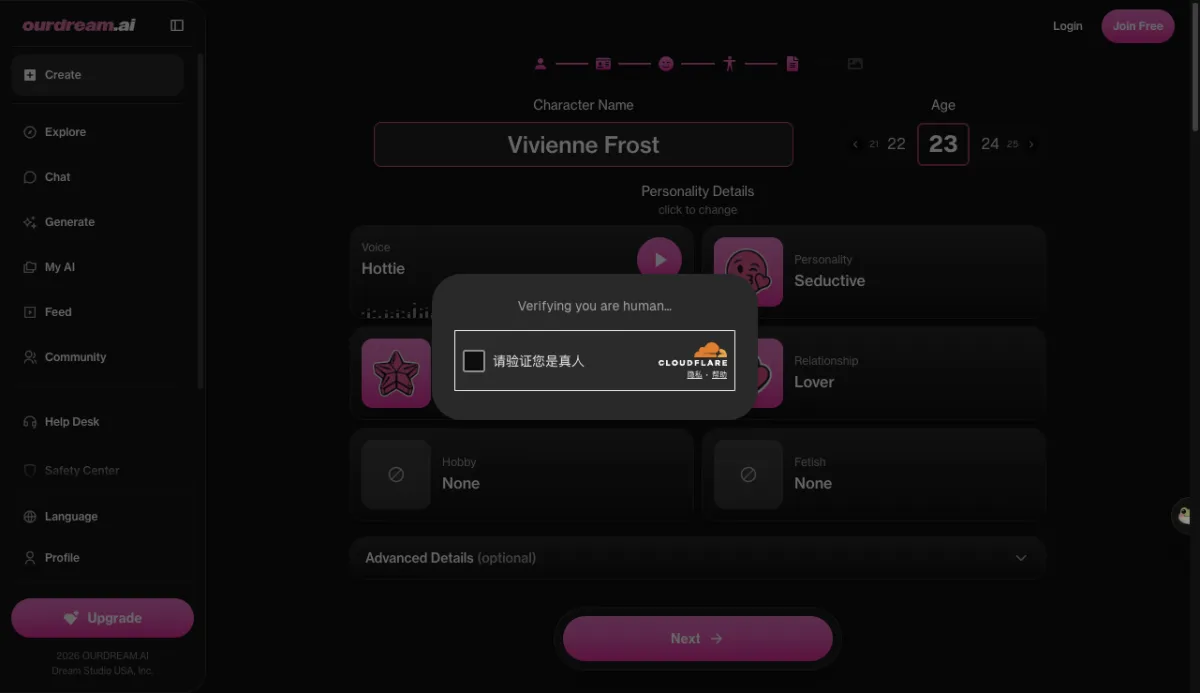
We stopped there, so we can’t tell you from our own session what comes after the check. Ourdream’s site code does give a strong hint, though. Its English interface text includes a set of sign-up titles, one for each kind of action a guest might try:
"title": {
  "general": "Create your free account",
  "chat": "Sign up to keep chatting",
  "image": "Sign up to create your images",
  "voice": "Sign up to hear their voice",
  "character": "Sign up to build your character"
}“Sign up to build your character” points to an account being required to finish character creation. We think it most likely appears at or just before the Image step. That is our reading of the code, not something we watched happen. The same code has a 50-coin SIGNUP_BONUS and a CHARACTER_CREATION_SUBMIT cost of 50 coins. That fits with creation being something you do once you have an account and a coin balance.
Secrets AI: all six steps, then a sign-up window
Secrets runs the most polished guest flow of the four. Its “STEP 1 OF 6” screen says “Design Your Dream Companion”. A countdown banner sat on top the whole way: “First Subscription: Up to 67% OFF!”.
- Gender and style: Female, Male or Trans, then Realistic or Anime.
- Appearance: eight ethnicities (Caucasian, Latina, Asian, African-American, Middle Eastern, Scandinavian, Indian, Custom), eight skin tones and six eye colors, each list with a Custom option.
- Hair: ten styles and twelve colors, Custom included.
- Body: body type, breast size and butt size.
- Details: name (e.g. “Julia”), location (e.g. “Miami, Florida”), an age slider from 18 to 99 starting at 25, and a voice. Six voices were shown, a “Show 96 more” link, and filters by accent, style and age. There’s also a 500-character box for extra features like “dimples, freckles, tattoos”.
- Review Your Companion: a summary and a “Companion Version” card. The only option was “V2 Companion”, described as “powered by our newest image model” with the note “Generates one photo per attempt instead of four.”
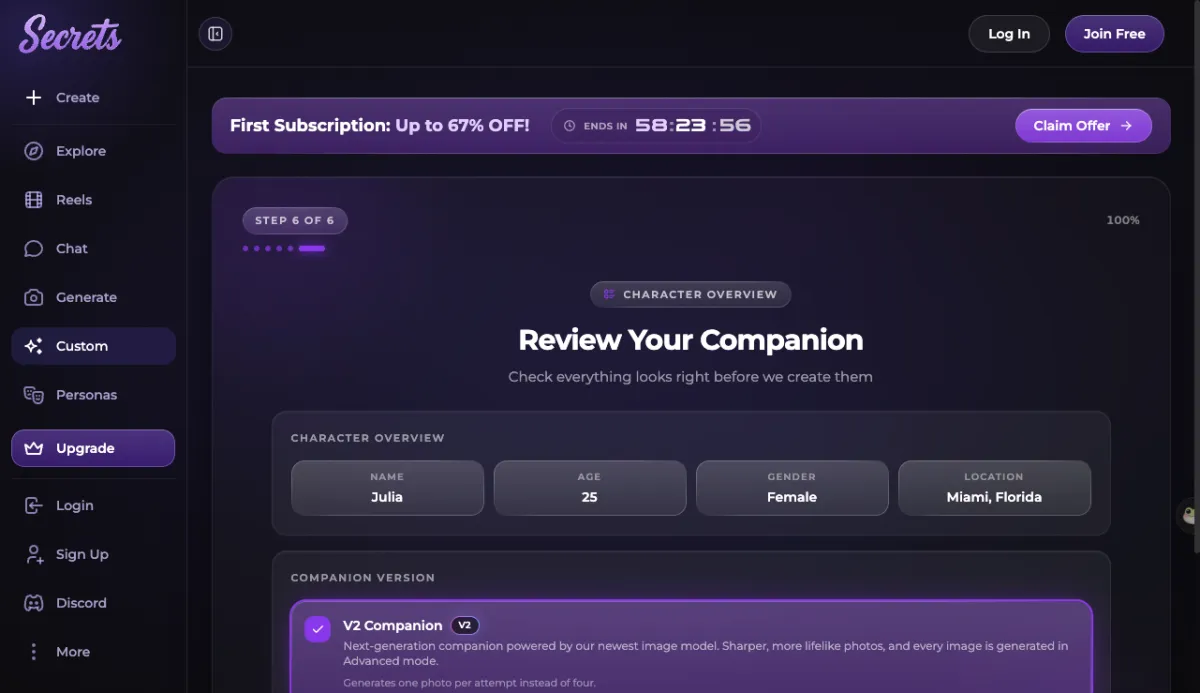
The button at the bottom says Create Companion. When we pressed it, the page dimmed and a “Sign Up for Free” window opened. It offered Google, Apple or email, said “1,000,000+ AI companions are waiting for you”, and had a purple badge reading “200 Free Moments!” with a countdown timer. (Moments are Secrets’ in-app currency for images, video and calls.) The fine print says that by continuing “you confirm that you are over 18 years old”.
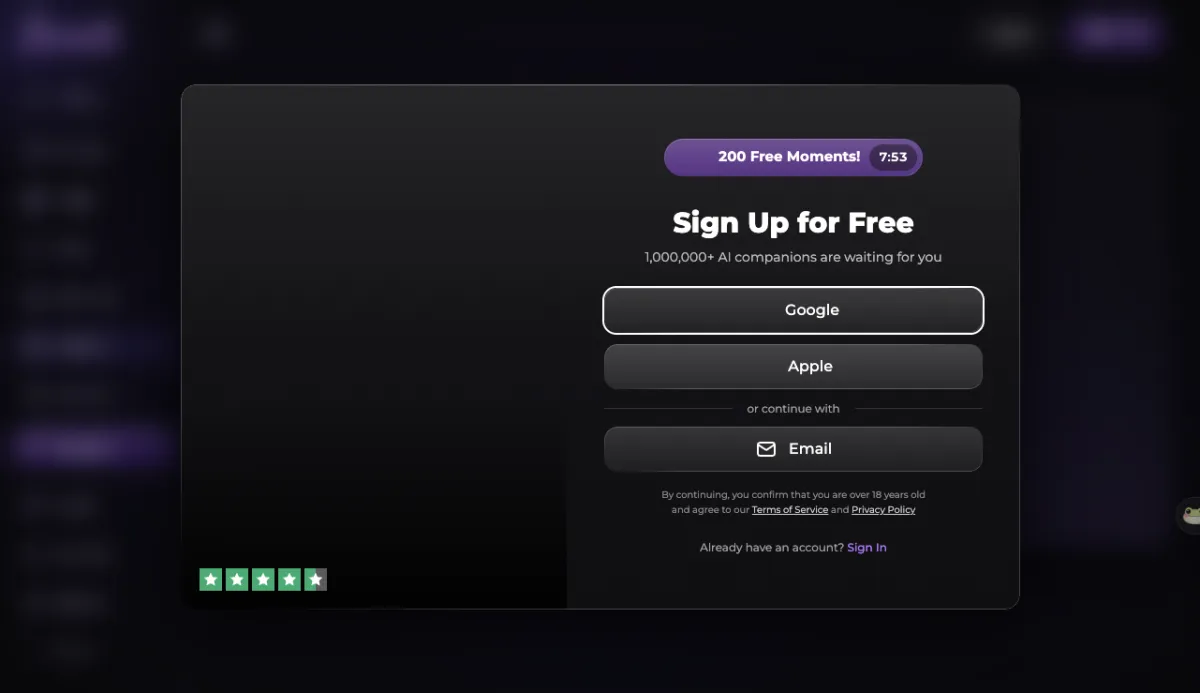
So Secrets lets you design everything as a guest. The companion only gets created, and its first image drawn, after you sign up.
Kindroid: log in first
Kindroid works differently from the other three. Its homepage (“Meet Your Kindroid”) has two buttons: Log in and Sign up. The login screen is headed “Welcome! Choose your login method” and offers Continue with Google, Continue with Apple, or an email address.
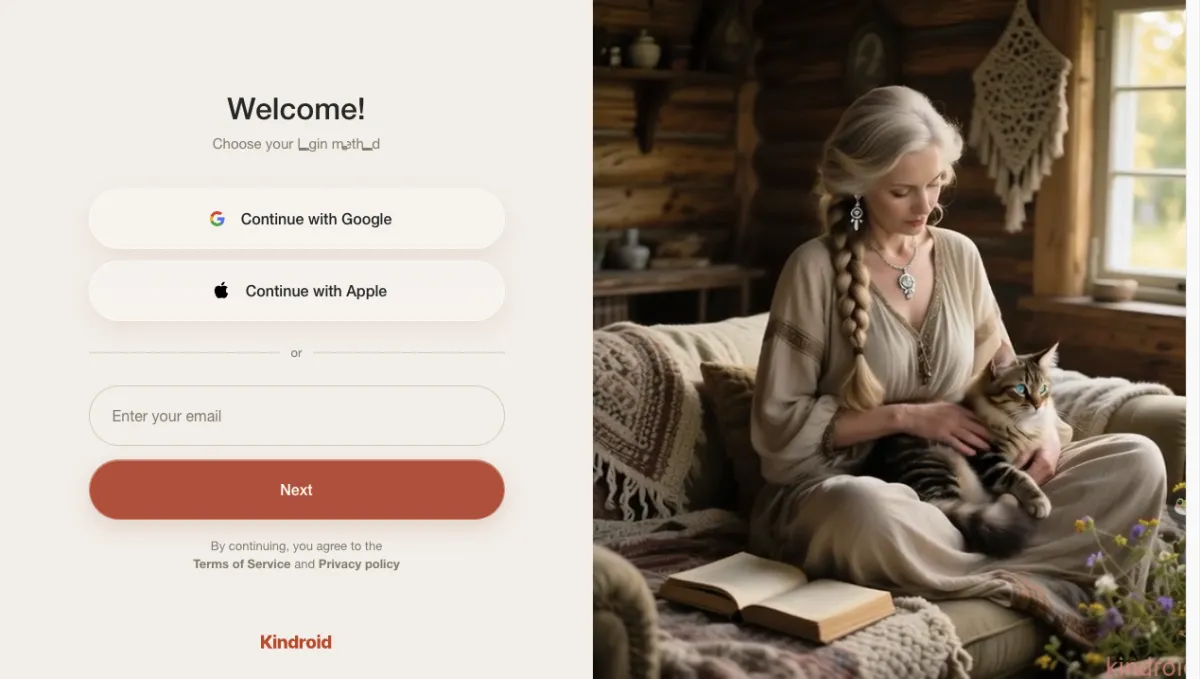
We didn’t find any guest mode. Kindroid’s five-step onboarding, which starts with “What should your Kindroid call you?”, and its character creator with avatar and personality only appeared after we had signed in. On the plus side, Kindroid doesn’t send you through a creator only to block you at the end.
So which one can you actually try?
None of the four gave a guest a generated character. Candy and Secrets let you design everything, then ask you to sign up before they create or draw anything. Candy did generate a character once we used a free account. Ourdream got us through five of six steps before a bot check, and its code suggests an account is needed to finish. Kindroid asks for an account up front.
If you only want to see what each creator asks before deciding, we built click-through replicas of all four that need no account at all:
- Candy AI creator replica
- Ourdream creator replica
- Secrets AI creator replica
- Kindroid onboarding and creator replica
The replicas follow the steps, options and defaults we recorded on October 17 and 18, 2026. They use our own generated, fully clothed example images, not the apps’ pictures. Nothing you pick there gets sent to any of these companies.
Frequently asked questions
Can I use Candy AI without an account?
Only to browse the creator. In a fresh, logged-out browser on October 18, 2026, a guest could click through every Candy creator step, but the last page was headed 'Sign up to Bring my AI To Life', and its button opened a Create Account window (email and password, Google, Discord or X). No character or image is generated for a guest. With a free account, Candy did generate a character card with a photo and a Regenerate counter that appeared to read 0/2.
Does Ourdream let you create a character without signing up?
Not all the way. A guest can go through the first five of its six steps (Style, General, Face, Body, Details). When we pressed Next on Details, a Cloudflare 'Verifying you are human' check appeared and we stopped. Ourdream's site code also contains a sign-up screen titled 'Sign up to build your character'.
Do you need an account to create a Secrets AI companion?
Yes, to finish. A guest can click through all six steps, but pressing 'Create Companion' at the end opens a 'Sign Up for Free' window (Google, Apple or email) that offered 200 free Moments when we saw it.
Can you try Kindroid without logging in?
We didn't find a way. Kindroid's homepage offers only Log in and Sign up, and its onboarding questions and character creator came after we had signed in.
Which of these AI girlfriend apps lets you do the most without signing up?
None of them generates anything for a guest. Candy and Secrets let you click through every step of their creators before asking you to sign up; Ourdream got us through five of six steps before a human check; Kindroid requires a login first. If you just want to see every screen first, our replicas at /try/ show all four creators without any account.
Sources
- Our logged-out walkthrough of ourdream.ai and secrets.ai, with a screenshot and the visible text of every step (October 17, 2026)
- Our logged-out walkthrough of candy.ai in a fresh browser with no saved session, with a screenshot and the visible text of every step (October 18, 2026)
- Our walkthrough of candy.ai's creator while signed in to a free account (October 17, 2026)
- The HTML of Candy's Create Character page as served to a logged-out visitor (form options and pre-selected values) (October 17, 2026)
- Ourdream's public website JavaScript (English interface text for the character creator and sign-up screens) (downloaded October 16, 2026)
- Our earlier sessions on candy.ai and kindroid.ai (home, login and chat screens; Kindroid's home and login screens while logged out) (October 16, 2026)